Navigating the Confusing World of Sound Files
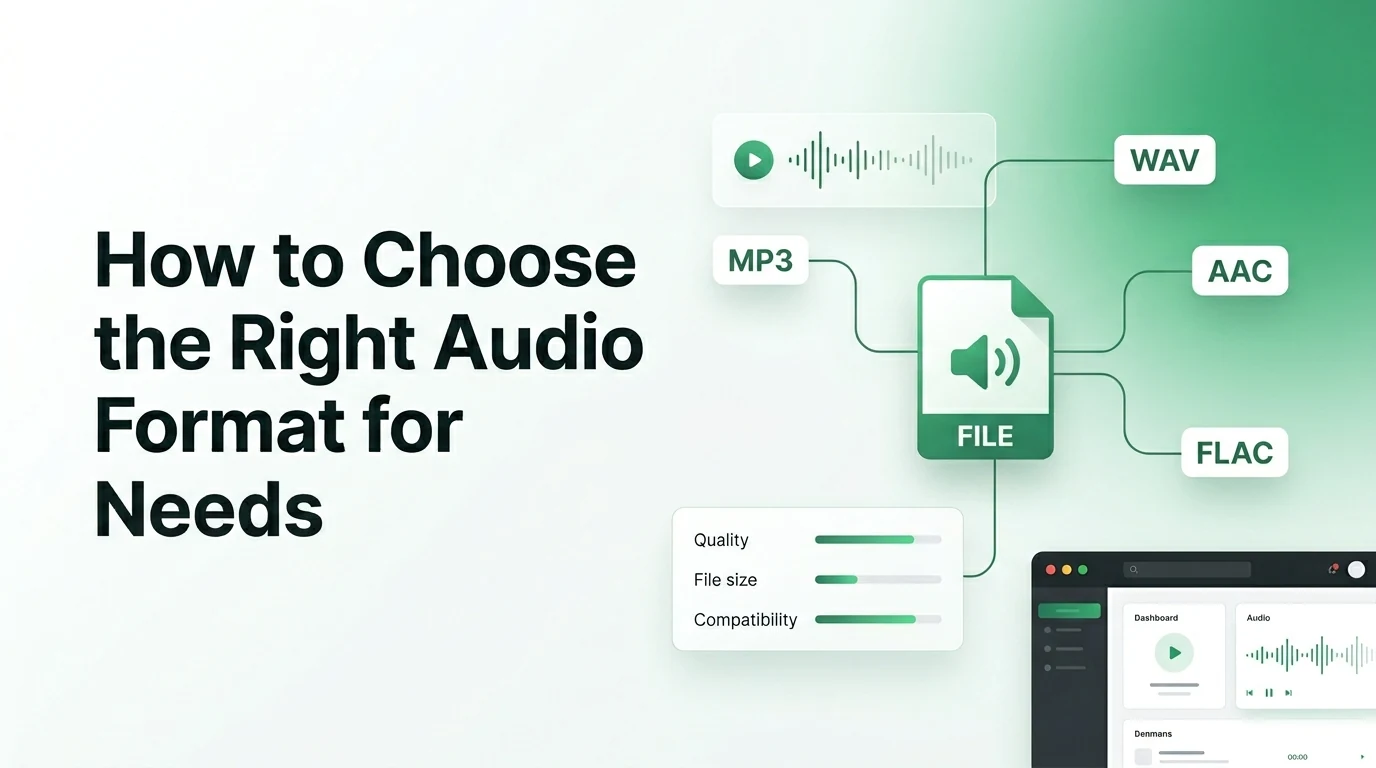
We have all been there. You are using an online tool to handle a quick video to audio convert task for a project, a casual playlist, or a school assignment. You upload your video file, and suddenly, a dropdown menu appears. It asks you to choose your desired output format, presenting you with an alphabet soup of options like MP3, WAV, FLAC, and AAC.
If you are not a professional sound engineer, this moment can feel incredibly overwhelming. You might start worrying that you will pick the wrong one and ruin the entire track. Will a certain choice make the audio sound scratchy on your headphones? Will another choice create a massive file that completely fills up your smartphone storage space?
The truth is that choosing the right format does not have to be a guessing game. Every audio format has a specific job that it does best. Some are built to save as much storage space as possible, while others are designed to protect every single drop of musical detail.
Let us break down the differences between these sound files in plain English. This guide will help you make the perfect choice on video-to-mp3.com for your specific daily listening needs.
The Big Battle Between Lossy and Lossless Audio
To make sense of your choices, you first need to understand the two main categories of digital audio. Sound files are either classified as lossy or lossless. These terms tell you exactly what happens to the background data when a video file goes through a processing engine.
Lossy formats are the kings of convenience. When you convert a file into a lossy format, the software uses a clever psychoacoustics model to shrink the file size. It scans the recording and permanently deletes frequencies that the human ear cannot easily perceive anyway. For instance, if a incredibly loud bass drum hits at the exact same millisecond as a quiet acoustic guitar note, your brain naturally blocks out the quieter sound. Lossy files throw away that hidden data, leaving you with a highly compact file that sounds great to casual listeners.
Lossless formats take the exact opposite approach. They act like a digital zip folder for your sound, compressing the data without destroying a single piece of information. When you open a lossless file, it unfolds into a perfect, bit-for-bit copy of the original studio recording. The sound is breathtakingly clear, but the file sizes remain quite large.
Breaking Down the Most Common Formats
To help you choose the best output during your next conversion session, take a close look at how the most popular formats compare in terms of everyday performance and file behavior.
| Audio Format | Category Type | File Size | Device Compatibility | Best Everyday Use Case |
|---|---|---|---|---|
| MP3 | Lossy Compression | Very Small | Universal (Plays Everywhere) | Casual music, phone storage, podcasts |
| WAV | Uncompressed Lossless | Extremely Large | Excellent | Professional audio editing, music masters |
| FLAC | Compressed Lossless | Medium | Good (Limited on older Apple) | Archiving music, hi-fi home stereos |
| AAC | Modern Lossy | Very Small | Great (Native on Apple) | Streaming media, high-quality video sound |
Choosing the perfect file format depends entirely on what device you plan to use and how much storage space you have left.
When to Choose MP3 for Universal Convenience
If your main goal is simply to listen to a downloaded interview, a favorite speech, or a casual music playlist on your phone, MP3 is your best friend. Invented decades ago, it remains the most famous audio format on the planet for a very good reason.
The biggest advantage of MP3 is its universal compatibility. Absolutely every digital device ever created can play an MP3 file instantly without requiring special applications. It is also incredibly small, meaning you can store hundreds of songs on your phone without ever seeing a storage warning. For everyday tasks, a high-quality MP3 file encoded at 192 kbps or 320 kbps offers a spectacular balance of size and clarity.
When to Choose WAV for Pristine Quality
On the other side of the spectrum sits the WAV format. Developed by Microsoft and IBM, WAV files contain raw, uncompressed audio data. Because they do not use any compression shortcuts, they deliver the absolute highest sound quality possible.
You should choose WAV if you plan to import the audio into a video converter or an editing program to mix your own media content. Musicians and podcasters always record in WAV because it gives them the cleanest baseline data to work with. However, because a single minute of audio can take up roughly ten megabytes of space, it is highly impractical for standard mobile phone storage.
The Modern Alternatives You Should Know About
If you want the absolute highest quality but simply cannot afford to waste your hard drive space on bulky WAV files, the FLAC format is a spectacular alternative. FLAC stands for Free Lossless Audio Codec. It manages to shrink the file size of a WAV document by roughly half while keeping the sound quality completely perfect. It has become the gold standard for audiophiles who want to archive their favorite music albums without compromise.
Another option you will see frequently is AAC. This is Apple's preferred audio format, and it serves as the modern successor to the traditional MP3. AAC uses a much more advanced mathematical model to compress data. Because of this efficiency, an AAC file can sound noticeably cleaner and crisper than an MP3 file even when they are exactly the same size. It is the format used by major streaming platforms like YouTube and Apple Music to deliver high-quality audio efficiently over cellular networks.
A Simple Guide to Picking Your Format
To make your life easier, you can follow a quick mental checklist whenever you use our conversion tools. Your final choice should always match your primary goal for the audio file.
- Pick MP3 if you need to share the file quickly via email, save mobile data, or play it on an older car stereo system.
- Select WAV if you are an audio editor working on a professional project and need zero data loss.
- Choose FLAC if you own high-end studio headphones and want to build a perfect, archival music collection at home.
- Opt for AAC if you are a dedicated Apple user who wants great sound efficiency on an iPhone or iPad.
By matching the file format to your specific playback device, you avoid annoying compatibility errors and ensure a seamless listening experience.
Tips for Getting the Best Possible Sound
Always remember that a conversion tool can only work with the quality of the video file you provide. If the original video was recorded in a windy backyard with a cheap microphone, converting it to a lossless WAV file will not magically make it sound like a professional studio track. The file will become much larger, but the sound will remain muddy.
For the best results on video-to-mp3.com, try to start with high-definition video sources that feature clean background sound from the beginning. Once you extract your track, keep your files organized with clean titles and album tags so you can easily navigate your growing collection.
Frequently Asked Questions
1. What is the most compatible audio format for smartphones?
The MP3 format is universally supported by every modern smartphone, tablet, and operating system on the market. Selecting MP3 ensures your extracted audio track will play flawlessly on both Android and Apple devices without requiring any extra media player apps.
2. Is WAV quality really better than MP3?
Yes, WAV offers higher quality because it is completely uncompressed and retains every bit of the original audio data. However, for casual listening on standard earbuds, most people cannot easily tell the difference between a WAV file and a high-bitrate MP3 file.
3. Why are FLAC files smaller than WAV files if both are lossless?
FLAC uses a specialized compression algorithm that works similarly to a ZIP file on a computer. It reorganizes the internal data tightly to save space on your hard drive, but it decompresses perfectly during playback to deliver the exact same high-fidelity sound as a raw WAV file.
4. Can I change a low-quality MP3 back into a high-quality WAV file?
You can technically convert the file format back into a WAV container, but you cannot recover the lost quality. Once a lossy format deletes data frequencies during compression, that information is permanently gone from the file architecture.
5. Which format should I choose to save the most battery life?
MP3 and AAC are the best choices for preserving your device battery. Because these files are lightweight and highly optimized, your phone's processor does not have to work very hard to read the data, allowing your screen to stay dark and saving power.
Final Thoughts on Smart File Selection
Choosing the right audio format does not have to feel like a massive headache. Once you understand that formats are simply different tools designed for different jobs, the choice becomes incredibly clear. For everyday convenience, small storage footprints, and easy sharing, stick with the classic MP3 format. If you are working on a creative project or demand absolute sonic perfection, step up to a lossless format like WAV or FLAC. By taking a quick second to think about your specific needs before you hit the convert button, you will get the absolute best results from your files. Whenever you have a new video clip ready for a transformation, head right over to video-to-mp3.com, pick the format that fits your day, and enjoy your content on your own terms.